
Ask what a piece of enterprise software costs and someone quotes you a licence fee. That number is almost never the real one: in our experience it is a fraction of what you will spend over the life of the system, and the rest is where budgets quietly bleed out. This post is about the rest: the six costs under the licence, the four phases the real cost moves through, a five-year model, the traps, and how to start.
The McKinsey and Oxford study of more than 5,400 IT projects found that large IT projects (initial budget over $15 million) run on average 45% over budget and deliver 56% less value than predicted (McKinsey, 2012). The overrun lives in everything around the licence.
So picture an iceberg. The licence is the bit poking above the water. Everything that actually drains your budget is underneath.
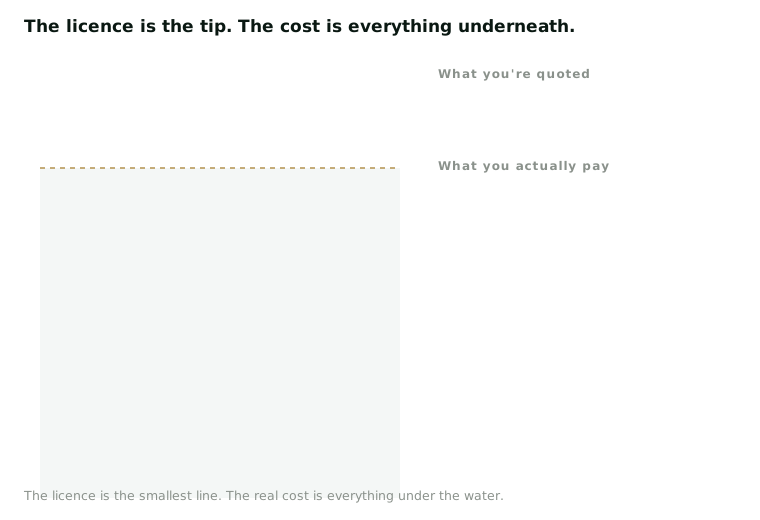
What’s under the water
Here are the six costs the proposal won’t lead with.
- Integration. Usually the biggest line of all. Wiring the new system into everything you already run: your ERP, your payroll, your identity provider, and in the Kingdom the government touchpoints too, like ZATCA e-invoicing or, for a hospital, NPHIES. Every one of those systems has an owner, a data format, and an opinion.
- Data migration. Moving years of messy, inconsistent data is slow and almost always underestimated. The cleanup is the cost, not the copy: duplicate customer records, three formats of national ID, fields nobody has maintained for years. If personal data is in there, PDPL’s cross-border transfer rules mean the destination matters too.
- Customization. Every gap between the product and how you actually work becomes a build you then maintain forever, through every upgrade. It is the line that quietly turns a “buy” into a “build” (we cover that trade-off in build vs buy).
- Training and change. Software nobody adopts costs the same as software everybody loves. It just returns nothing. Budget for process redesign, super-users in each department, and the months of dual running.
- Support and upgrades. The recurring tail for the life of the system: support tiers, the annual uplift, hosting, and the person on your side who knows how it fits together. Each major version the vendor pushes is a mini-project.
- Exit costs. What it takes to get your data and processes back out: export formats, contractual notice, the parallel run. Cheap to sign is often expensive to leave (more in vendor lock-in).
Buy, build, run, leave: the four phases of the real cost
The clean way to hold all six in your head is that a system’s cost moves through four phases, and the licence only lives in the first one.
flowchart LR
  A(["Buy: the licence or subscription"]) --> B(["Build: integration, migration, customization, training"])
  B --> C(["Run: support, upgrades, hosting, the people who keep it alive"])
  C --> D(["Leave: export, notice, parallel run, retraining"])
  A -.-> A2(["The one number in the proposal"])
  B -.-> B2(["Mostly one-off, usually quoted low"])
  C -.-> C2(["Repeats every year the system lives"])
  D -.-> D2(["Nobody prices it until they need it"])
Buy is the number you were quoted. Build is the implementation, and in our experience the phase most often quoted low, because the salesperson prices the happy path and your data is not on it. Nucleus Research has pegged ERP implementation at roughly 3 to 4 times the licence, which matches what we see. Run decides the total, because it repeats: a modest annual cost times five years outruns most one-off savings. Leave is the phase nobody prices, which is exactly why it becomes the vendor’s leverage at renewal.
Model it over five years, not one
A platform with a higher licence fee but lower integration and support costs can be far cheaper over five years than the “cheap” option that needs an army of consultants to keep it breathing. Sometimes the bargain is the expensive one.
The model itself is simple. One column per option, one row per phase: buy, build, run (times five), leave. Fill the run row with what year three looks like, not the discounted year one. Then add the row most templates skip: your own people’s time, because a finance lead spending a quarter on the migration is a cost even though no invoice arrives. Gartner has long reported that a large share of ERP initiatives fail to meet their intended business goals, and a model that only counts the licence is part of how that happens.
In the Kingdom the run row has a line global templates don’t: where the data lives. If PDPL’s cross-border transfer rules (Article 29 and SDAIA’s Transfer Regulations), SAMA for a financial institution, or NCA’s ECC controls where they apply mean the data stays in-Kingdom, price the in-Kingdom region and the compliance work. A vendor who “can host in Riyadh” and one who runs there today with a reference client are two different costs.
A worked example: two quotes, five years
Say you are choosing an HR system for a 400-person company. The numbers are made up to show the shape.
Option A quotes 200,000 SAR a year, Option B 350,000 SAR a year. On licence alone A wins by 750,000 SAR over five years.
Now add the other phases. A has no standard connector to your ERP or payroll, so the implementation partner quotes 600,000 SAR for integration and migration, plus 300,000 SAR of customization to make leave and overtime rules match your policy. Keeping those custom builds alive through upgrades needs a contractor, call it 240,000 SAR a year. B ships with the connectors, so build is 250,000 SAR, there is no customization because you run its standard workflow, and support is 60,000 SAR a year.
Five-year totals: A is 1,000,000 licence plus 600,000 build plus 300,000 customization plus 1,200,000 run, about 3.1 million SAR. B is 1,750,000 licence plus 250,000 build plus 300,000 run, about 2.3 million SAR. The “cheap” option costs roughly 800,000 SAR more, and its custom data model makes it harder to leave. The exact numbers don’t matter. The ranking reversed the moment the model went past the licence row.
Where TCO models go wrong
The model is easy. The traps are in what people feed it.
- Trusting the vendor’s implementation estimate. Get it from the implementation partner, not the salesperson, and ask a reference client of your size what the final invoice was.
- Comparing over different horizons. One vendor quotes three years, another five, a third year one only. Normalize every quote to five years first.
- Discounting year one and forgetting the uplift. Model the contract, not the quote. A first-year discount with an annual increase clause is a different price from the slide.
- Customizing away the upgrade path. A long customization list means you are buying a bespoke system with a vendor’s logo on it, and paying for it at every upgrade.
- Leaving exit at zero. Nobody plans to leave, so nobody prices it, and the vendor knows that at renewal. Put data export in an open format into the contract while you still have leverage.
Four questions that drag the hidden costs into the light
Ask any vendor these four.
- “What did a realistic implementation cost, integration and migration included, for a client like us, and can we speak to them?”
- “What is the all-in annual run cost in year three, once we are fully live and the discount has expired?”
- “What would it cost us to leave, and in what format do we get our data?”
- “Where will our data live, who pays for the in-Kingdom hosting and compliance work, and who has that running today?”
Put the answers into a scoring sheet next to the functional requirements, before the demo charm sets in. We wrote up the sheet we use in scoring software proposals.
How to start: one decision, one spreadsheet
The pattern that works is boring and reliable. Pick the one decision actually on your desk. Build a one-page model for it: four phase rows plus your people’s time, one column per option, five years across. Fill it from the vendors’ answers to the four questions, and mark every cell you had to guess. If the gap between options is smaller than the sum of your guesses, don’t sign yet: run a short paid pilot on the riskiest line, usually integration, and let real numbers replace the guesses.
The goal isn’t the cheapest option. It’s seeing the real cost before you sign, so the budget you approve is the budget you actually spend. No ugly surprise in year two.
Comparing options on licence price alone? SDCG builds independent total-cost-of-ownership models as part of our technology assessment and due diligence work, so you can compare systems on their real five-year cost, not the sticker. We don’t resell any of them, so the numbers aren’t bent toward a product. Book a free 30-minute review and we’ll model the decision you’re staring at.